> ## Documentation Index
> Fetch the complete documentation index at: https://radarlabs-update-tracking-options.mintlify.site/llms.txt
> Use this file to discover all available pages before exploring further.
# Regions
Regions is available on the [Enterprise plan](https://radar.com/pricing).
With Regions, you can use our admin boundary database to detect a user's country, state, DMA (media market), or postal code.
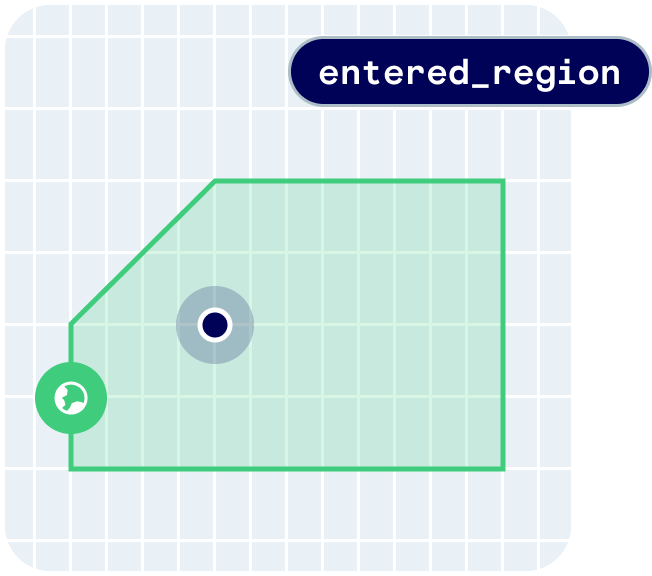 Regions provides the following user context:
```json theme={null}
{
"country": {
"code": "US",
"name": "United States",
"flag": "🇺🇸"
},
"state": {
"code": "MD",
"name": "Maryland"
},
"dma": {
"code": "26",
"name": "Baltimore"
},
"postalCode": {
"code": "21014"
}
}
```
Regions also provides the following events:
* `user.entered_region_country`
* `user.exited_region_country`
* `user.entered_region_state`
* `user.exited_region_state`
* `user.entered_region_dma`
* `user.exited_region_dma`
* `user.entered_region_postal_code`
* `user.exited_region_postal_code`
## Quickstart
First, [sign up](https://radar.com/signup) for Radar and get an API key.
Then, enable Regions events on the [Settings page](https://dashboard.radar.com/settings).
From there, [integrate the SDK](/sdk) and call `Radar.trackOnce()` or `Radar.startTracking()`, depending on your use case. Radar will generate an entry event on the first location update in a region matching your enabled event types.
## Countries
Regions supports country detection globally. Each country has a `name` and a unique 2-letter [ISO 3166](https://en.wikipedia.org/wiki/List_of_ISO_3166_country_codes) `code`. View the [full list of countries](/regions/countries).
### Country allowlist or blocklist
Regions can also be used to allowlist or blocklist location updates in specific countries for privacy or compliance reasons. Contact your customer success manager to enable this feature.
## States
Regions supports state detection in the US and Canada only. Each state has a `name` and a 2-letter `code` unique to the residing `country`. View the [full list of states](/regions/states).
## DMAs
Regions supports DMA (designated market area) detection in the US only. Each DMA has a `name` and a unique `code`. View the [full list of DMAs](/regions/dmas). Or, learn more about [DMAs](https://en.wikipedia.org/wiki/Media_market).
## Postal codes
Regions supports postal (ZIP) code detection in the US only. Each postal code has a unique 5-letter `code`.
## Coarse home and traveling detection
Contact your customer success manager for access to coarse home and traveling detection.
Regions can automatically detect a user's home regions based on location updates in the last 30 days, and detect when a user is traveling outside of their home regions.
Coarse home detection provides the following user context:
```json theme={null}
{
"homeRegions": {
"country": {
"code": "US",
"name": "United States",
"flag": "🇺🇸"
},
"state": {
"code": "MD",
"name": "Maryland"
},
"dma": {
"code": "26",
"name": "Baltimore"
},
"postalCode": {
"code": "21014"
}
}
}
```
It also provides the following `traveling` state on events:
```json theme={null}
{
"traveling": {
"country": true,
"dma": true,
"state": true,
"postalCode": true,
}
}
```
Regions provides the following user context:
```json theme={null}
{
"country": {
"code": "US",
"name": "United States",
"flag": "🇺🇸"
},
"state": {
"code": "MD",
"name": "Maryland"
},
"dma": {
"code": "26",
"name": "Baltimore"
},
"postalCode": {
"code": "21014"
}
}
```
Regions also provides the following events:
* `user.entered_region_country`
* `user.exited_region_country`
* `user.entered_region_state`
* `user.exited_region_state`
* `user.entered_region_dma`
* `user.exited_region_dma`
* `user.entered_region_postal_code`
* `user.exited_region_postal_code`
## Quickstart
First, [sign up](https://radar.com/signup) for Radar and get an API key.
Then, enable Regions events on the [Settings page](https://dashboard.radar.com/settings).
From there, [integrate the SDK](/sdk) and call `Radar.trackOnce()` or `Radar.startTracking()`, depending on your use case. Radar will generate an entry event on the first location update in a region matching your enabled event types.
## Countries
Regions supports country detection globally. Each country has a `name` and a unique 2-letter [ISO 3166](https://en.wikipedia.org/wiki/List_of_ISO_3166_country_codes) `code`. View the [full list of countries](/regions/countries).
### Country allowlist or blocklist
Regions can also be used to allowlist or blocklist location updates in specific countries for privacy or compliance reasons. Contact your customer success manager to enable this feature.
## States
Regions supports state detection in the US and Canada only. Each state has a `name` and a 2-letter `code` unique to the residing `country`. View the [full list of states](/regions/states).
## DMAs
Regions supports DMA (designated market area) detection in the US only. Each DMA has a `name` and a unique `code`. View the [full list of DMAs](/regions/dmas). Or, learn more about [DMAs](https://en.wikipedia.org/wiki/Media_market).
## Postal codes
Regions supports postal (ZIP) code detection in the US only. Each postal code has a unique 5-letter `code`.
## Coarse home and traveling detection
Contact your customer success manager for access to coarse home and traveling detection.
Regions can automatically detect a user's home regions based on location updates in the last 30 days, and detect when a user is traveling outside of their home regions.
Coarse home detection provides the following user context:
```json theme={null}
{
"homeRegions": {
"country": {
"code": "US",
"name": "United States",
"flag": "🇺🇸"
},
"state": {
"code": "MD",
"name": "Maryland"
},
"dma": {
"code": "26",
"name": "Baltimore"
},
"postalCode": {
"code": "21014"
}
}
}
```
It also provides the following `traveling` state on events:
```json theme={null}
{
"traveling": {
"country": true,
"dma": true,
"state": true,
"postalCode": true,
}
}
```